
App overview
Pinterest Pro Boards allows you to display content from your own Pinterest accounts directly on your website. The setup is straightforward: connect an account, select boards, and place the widget where it’s needed — the rest is handled automatically.
The widget builds its structure dynamically based on content and media ratios, keeping layouts balanced and readable across different screen sizes. This allows the same widget to feel consistent whether it appears in wide sections, narrow columns, or mobile views.
Each widget works independently. You can adjust animations, hover behavior, click actions, text visibility, typography, and spacing, with separate options available for mobile displays. This makes it possible to reuse the app across different pages while keeping each instance visually distinct.

Flexible Layout and Styling
Spacing, alignment, and movement are designed to keep visual rhythm predictable and calm, even as content changes or updates.
The widget maintains the same visual logic across screen sizes, so motion and layout behavior feel familiar and consistent on both desktop and mobile.
How it works
Setup takes only a few steps and doesn’t require technical configuration.
Each part of the process is designed to stay focused and reversible.

Choose account
Connect one or more Pinterest accounts and manage them from a single place.

Choose layout
Define how content should be arranged and how it moves within the widget.

Choose board
Select boards or sections to display, depending on how you want content grouped.

Style it
Adjust spacing, media proportions, text options, and subtle animations to fit the surrounding page.
Use Cases
Pinterest Pro Boards fits naturally into pages where visual content supports discovery, inspiration, and decision-making. Boards stay organized, update automatically, and help guide visitors through content without breaking the flow of the page.

Portfolios
Show curated projects, mood boards, or visual references in a clean, structured way that keeps focus on the work.
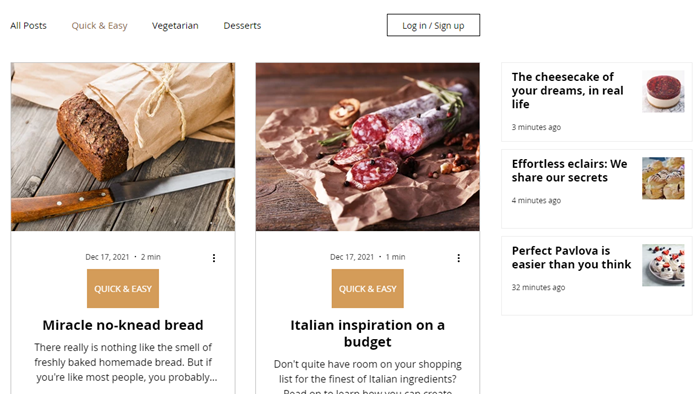
Blogs
Use inspiration boards to visually support articles while keeping reading smooth.

Stores
Present products, collections, or lifestyle inspiration in a visual format that encourages browsing and discovery.

Bookings
Support services or events with visual boards that help visitors understand offerings before taking the next step.

And More
Use Pinterest boards across landing pages, galleries, and promo sections to keep content consistent and reusable.
.png)

Get Started!
Explore how Pinterest Pro Boards fits into your website by testing it with your own content. Adjust layouts, styling, and behavior to see how the widget responds in different sections of your site.
If you decide to share feedback or suggestions, it’s always appreciated. Thoughtful input helps guide future improvements and refine the overall experience.

Powered by:
